
First you need to download struts 2 framework from apache website .Click on “Download now” and Struts 2 will be downloaded on your machine.
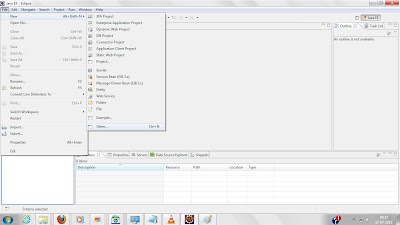


Now Open your eclipse environment.

Click on Files->New->Other

Click on web->Dynamic web project

Write your project Name in the text box.I have written “Strut2FirstProject”
Now here,I am assuming you have apache tomcat server installed in your machine.If you
have target runtime as none then you can refer this.
Now click on Finish button.
Right click on your project then click properties
Then click on Java Build Path


Click on add Library

choose user library and on next dialog box click on userLibraries

Click on new

give lib name you want to create.I have given it “Strut2” here
Now select to strut2 lib which you have created and click on add jars
go to location where you have download strut2 package and open lib
folder.you can have all jars but for now you can select following jars
- struts2-core-2.3.1.2
- xwork-core-2.3.1.2
- ognl-3.0.4
- commons-io-2.0.1
- commons-fileupload-1.2.2
- javassist-3.11.0.GA
- freemarker-2.3.18
- commons-lang-2.5
- commons-logging-1.1.1
- commons-logging-api-1.1
For having struts2 lib at deploy time,you need to again right click on project and
select properties and click on “Java EE module dependency”

check Strut2 lib and click ok.
Now you are done with configuring strut2 in eclipse.You can create your strut2 project.
 javaguider
